Which Copilot is Best for Your Business? In today’s fast-paced digital landscape, businesses face the challenge of staying competitive while juggling numerous tasks. As technology evolves, so does the need for effective tools to enhance productivity and streamline operations. That’s wher
Which Copilot is Best for Your Business?
In today’s fast-paced digital landscape, businesses face the challenge of staying competitive while juggling numerous tasks. As technology evolves, so does the need for effective tools to enhance productivity and streamline operations.
That’s where Microsoft’s range of AI-powered tools known as Copilot comes into play.
But with various options available, how do you know which is the best fit for your organisation?
The Growing Importance of AI in Business
According to McKinsey’s latest Global Survey on AI, a remarkable 65% of respondents report that their organisations are regularly using generative AI in at least one business function. This is nearly double from the previous survey just ten months earlier. As businesses increasingly integrate AI into their operations, understanding how to leverage these tools becomes essential.
Moreover, 75% of respondents predict that generative AI will lead to significant or disruptive change in their industries in the years ahead. This highlights the urgent need for businesses to adopt AI solutions to thrive in the competitive marketplace.
Introducing Microsoft CoPilot
Microsoft offers a variety of Copilots designed to tackle different aspects of work and personal computing. Here’s an overview of the different options available:
- Microsoft Copilot
- Copilot Pro
- Copilot for Microsoft 365
- Copilot in Windows
- Dynamics Copilot
- GitHub Copilot
- Power BI Copilot
- Security Copilot
- Copilot for Sales
- Copilot for Service
- Copilot Studio
These diverse tools are designed to enhance productivity and efficiency across various tasks, allowing you to focus on what truly matters: growing your business.
General-Purpose
Microsoft Copilot (Free Version)
Microsoft Copilot (formerly Bing Chat) is your go-to AI assistant, available for free across Microsoft platforms like Bing, Edge, and Windows. It serves as a versatile partner in navigating the digital landscape.
Features:
- Information retrieval and summarisation
- Task assistance and organisation
- Integration across multiple Microsoft platforms
CoPilot Pro
Copilot Pro is a subscription-based version that provides priority access to GPT-4 and GPT-4 Turbo, along with additional features tailored for advanced users.
Features:
- Enhanced AI capabilities for complex tasks
- Image creation through Designer
- Priority support and access to advanced features
Productivity
Copilot for Microsoft 365
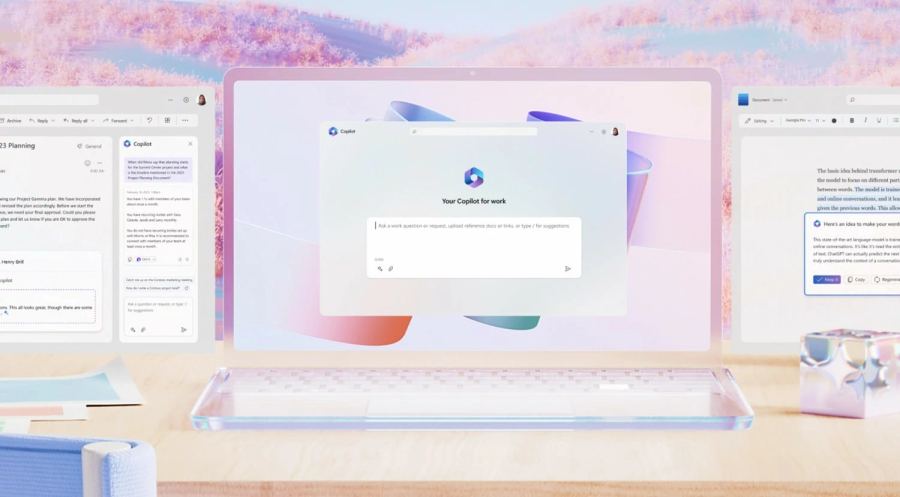
Copilot for Microsoft 365 integrates seamlessly into applications like Word, Excel, PowerPoint, Outlook, and OneNote. It enhances productivity, allowing you to work smarter, not harder.
Features:
- Automated content generation and editing in Word
- Data analysis and visualisation in Excel
- Presentation assistance in PowerPoint
- Email management and scheduling in Outlook
Copilot in Windows
Copilot in Windows helps users navigate settings and perform various tasks within the operating system, making it easier to manage their environment.
Features:
- Simplified navigation of Windows settings
- Task automation and shortcuts
- Guidance for troubleshooting common issues
Business and Development
Dynamics Copilot
Dynamics Copilot is designed for CRM and ERP tasks, assisting your sales, customer service, and marketing teams.
Features:
- Real-time insights for informed decision-making
- Automation of routine tasks
- Enhanced customer relationship management
GitHub Copilot
GitHub Copilot is built specifically for developers, offering code suggestions and assistance in programming tasks.
Features:
- Context-aware code suggestions
- Debugging assistance
- Integration with popular coding environments
Power BI Copilot
Power BI Copilot aids in data analysis and visualisation, enabling you to derive insights from complex datasets effortlessly.
Features:
- Automated data analysis and reporting
- Interactive visualisation creation
- Insights generation for data-driven decisions
Security Copilot
Security Copilot focuses on enhancing security within Microsoft environments, supporting tools like Defender, Entra, Intune, Priva, and Sentinel.
Features:
- Threat detection and vulnerability assessments
- Automated responses to potential security incidents
- Comprehensive security management tools
Specialised
Copilot for Sales
Copilot for Sales is tailored for sales professionals, integrating seamlessly with your CRM systems to provide insights and recommendations.
Features:
- Sales data analysis and forecasting
- Automated follow-ups and reminders
- Integration with customer databases
Copilot for Service
Copilot for Service is designed to improve service delivery and customer support.
Features:
- Streamlined inquiry management
- Quick access to information and resources
- Enhanced customer engagement and satisfaction
Copilot Studio
Copilot Studio empowers you to create and customise your own AI assistants tailored to your specific needs.
Features:
- Flexible design tools for custom AI solutions
- Integration capabilities with existing systems
- User-friendly interface for building applications
Choosing the Right One for Your Needs
With such a diverse array of Copilots available, selecting the right one hinges on understanding your specific needs and use cases.
Ask yourself:
- What are your primary tasks? Identify the areas where you need assistance-be it document creation, data analysis, or coding.
- What platforms do you use most frequently? Consider the applications and tools you rely on and whether a specific Copilot integrates well with them.
- What level of AI assistance do you require? Determine whether a general-purpose assistant suffices or if you need specialised features for your industry.
Microsoft’s Copilots are revolutionising productivity by integrating AI into everyday tasks. These tools enhance efficiency, collaboration, and security across various functions.
As AI adoption grows, choosing the right Copilot can elevate your business operations. Whether drafting reports, coding, or managing customer relationships, Microsoft’s Copilots can unlock significant productivity gains.
Join Our Upcoming Webinar!
Want to dive deeper into how Microsoft Copilot can unlock the potential of AI for your business? Join us on 7th November at 3:00 PM GMT for our webinar, Unlocking the Potential of AI for Your Business with Microsoft Copilot.
We’ll explore practical applications, answer your questions, and show you how to harness the power of AI effectively.
Don’t miss out! Register here to secure your spot.