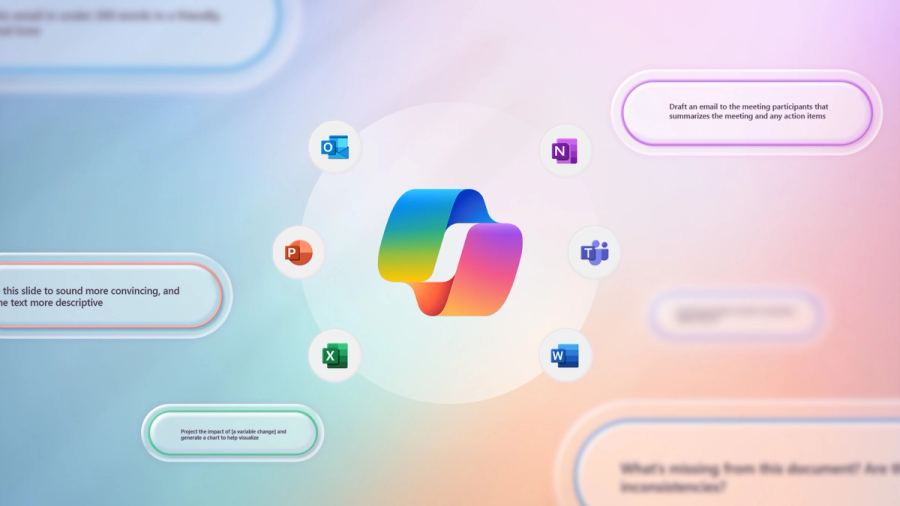
How To Make Microsoft 365 Copilot Work For Your Business Are you looking to elevate your productivity game and streamline your workflows? Microsoft 365 Copilot is here to transform how you work, providing AI-powered assistance across your favourite Microsoft 365 apps. In this article, we’ll ex
How To Make Microsoft 365 Copilot Work For Your Business
Are you looking to elevate your productivity game and streamline your workflows?
Microsoft 365 Copilot is here to transform how you work, providing AI-powered assistance across your favourite Microsoft 365 apps.
In this article, we’ll explore the ins and outs of Microsoft 365 Copilot, how it can enhance your daily tasks, and why it’s worth your time. Dive in to discover how you can leverage this powerful AI tool to boost your productivity and optimise your work processes!
What is Microsoft 365 Copilot?
Microsoft 365 Copilot is an AI-powered tool designed to assist users in their everyday tasks across Microsoft 365 applications. By harnessing the power of AI, Copilot can help you draft emails, generate data insights, and create visually stunning presentations. This innovative tool takes the strain out of repetitive tasks, allowing you to focus on what truly matters: your core work.
How Does Microsoft Copilot Work?
Using advanced natural language processing, Microsoft 365 Copilot understands your requests and provides tailored assistance.
It can generate suggestions based on the context of your work, making it easier for you to produce high-quality results in less time.
For example, if you’re working on a report in Word, simply ask Copilot to generate an outline or suggest key points, and it will provide instant support.
What Are the Benefits of Using Microsoft 365 Copilot?
The benefits of using Microsoft 365 Copilot are numerous.
Firstly, it significantly boosts productivity by reducing the time spent on repetitive tasks. You can complete your work more efficiently, freeing up valuable time to focus on strategic initiatives.
Secondly, it enhances collaboration by streamlining communication across teams.
With Copilot in tools like Teams, you can easily draft messages, summarise discussions, and keep everyone on the same page.
So How Can You Use Microsoft 365 Copilot in Different Applications?
Word: Generate text suggestions, create outlines, and edit content with ease.
Excel: Analyse data, generate charts, and create formulas using simple prompts.
PowerPoint: Design slides, suggest visuals, and streamline your presentation workflow.
Outlook: Draft emails, summarise threads, and manage your inbox effectively.
Teams: Facilitate discussions, summarise meetings, and enhance team collaboration.
OneNote: Organise notes, generate summaries, and enhance your note-taking experience.
SharePoint: Manage documents, generate reports, and facilitate collaboration on projects.
Planner: Create and assign tasks, track progress, and streamline project management.
Dynamics 365: Utilise insights for customer relationship management and business operations.
Power BI: Generate reports, create dashboards, and enhance data visualisation.
Power Automate: Automate workflows, streamline processes, and integrate applications.
Forms: Create surveys, generate analysis, and simplify data collection.
How Can Microsoft 365 Copilot Transform Your Workflow?
Microsoft 365 Copilot can transform your workflow by integrating seamlessly with the applications you use every day. By automating repetitive tasks, you can redirect your focus toward more strategic initiatives.
The integration with Microsoft technologies means that Copilot can leverage data from the Microsoft Graph, providing insights that can enhance decision-making.
In a world where time is money, Microsoft 365 Copilot can be your trusted ally. By leveraging its capabilities, you can enhance your productivity and focus on what truly matters.
Learn How To Use Microsoft CoPilot at Our Upcoming Webinar
Are you ready to unlock the full potential of Microsoft 365 Copilot? Join us on 7th November at 3:00PM GMT for an engaging webinar designed to show you how this powerful tool can transform your workflow.
We’ll guide you through practical tips and real-world applications, helping you streamline tasks and boost productivity.
Imagine having the ability to draft emails, create presentations, and analyse data-all with just a few prompts. This session is your opportunity to see Copilot in action and learn how it can support your everyday work.
Don’t miss out on this chance to elevate your productivity! Register here to save your spot!
Key Takeaways:
- Microsoft 365 Copilot is an AI-powered tool designed to improve productivity.
- It integrates seamlessly with various Microsoft applications, streamlining tasks.
- Copilot can generate suggestions, automate repetitive tasks, and enhance collaboration.
- Understanding the costs and features of Microsoft 365 Copilot is crucial for businesses.
- Join our webinar on 7th November to learn more about leveraging Copilot in your workflow.
Get in touch, and we’ll help you make the most of Microsoft 365 Copilot to enhance your productivity.