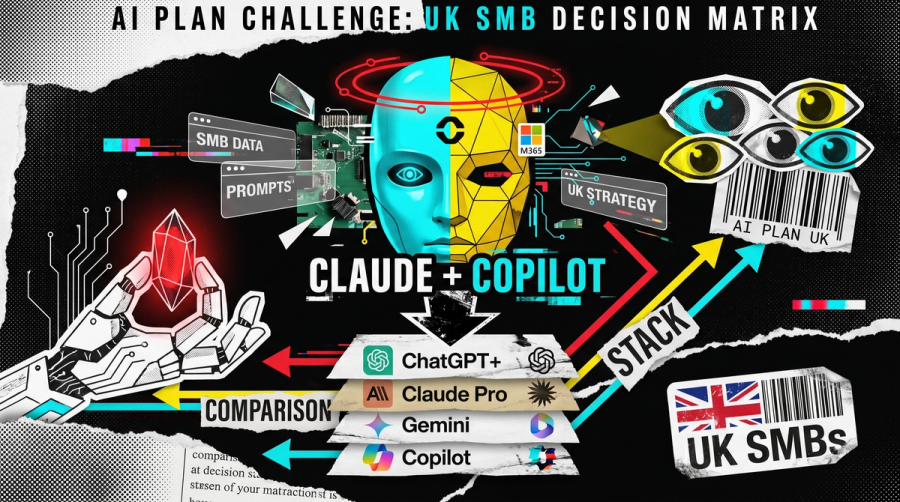
An MSP's pragmatic comparison of the four main paid AI plans (ChatGPT Plus, Claude Pro, Google AI Pro, Microsoft 365 Copilot) and which combination actually fits a UK small business.
Three of the biggest AI companies have a paid consumer plan at £18 to £20 a month: ChatGPT Plus, Claude Pro, and Google AI Pro. Microsoft 365 Copilot sits alongside them at £16.10 per user, per month, billed annually, for businesses already on the Microsoft stack. So which one should a UK SMB owner put on the company card?
Our honest answer, based on what we deploy with clients every week: default to Claude Pro for the thinking work, and Microsoft 365 Copilot for meetings and Office. That combination covers most of what an SMB actually needs from AI today, with the data-governance story you want for client work. The other two have their moments, and we will say where, but they are not the default for a Microsoft-shop UK SMB.
This is a working comparison, not a benchmark scoreboard. We will cover what these plans cost, what they actually do, where each one wins, and the question every YouTube comparison seems to skip: which licence is each of your staff signed into.
What you get for £18 to £20 a month
Four plans, four different shapes. Quick orientation before we get into recommendations.
- ChatGPT Plus. $20 (USD) per month, so roughly £20 once VAT and exchange rates are in. The strongest image generation of the four right now, a capable general assistant, and a desktop agent called the Codex App that can read and edit files in a folder on your machine.
- Claude Pro. £18 per month. The strongest writing model of the four in our experience, a wide connector list including Gmail, Google Drive, Notion, Calendar, and Zapier, plus Claude Code, a desktop agent that works inside a local folder you choose.
- Google AI Pro. £18.99 per month. Video generation with Veo, image generation, NotebookLM at higher limits, Google Flow, Gemini features in Gmail and Docs, YouTube Premium Lite, and 5 TB of storage pooled across Gmail, Drive, and Photos. Family sharing for five people.
- Microsoft 365 Copilot Business. £16.10 per user, per month, ex-VAT, on an annual commitment, on top of a qualifying Microsoft 365 Business plan. Currently £13.80 on Microsoft's promotional pricing. AI inside Word, Excel, PowerPoint, Outlook, Teams, Loop, and OneNote. There is also a free Microsoft 365 Copilot Chat tier for any signed-in M365 user, which gives web-grounded chat without the in-app integrations.
This is consumer-and-SMB territory. The enterprise SKU of Microsoft 365 Copilot sits at £23.10 per user, per month for organisations over 300 users or those who need the full enterprise feature set. ChatGPT, Anthropic, and Google all have business and enterprise tiers above their $20 plans, and we'll come back to those.
Our recommendation: Claude and Copilot, in that order
Here is the pragmatic stack we deploy with most UK SMB clients on the Microsoft stack.
Claude Pro for thinking work. Drafting, editing, analysis, research: anything where the quality of the text or the reasoning matters. Claude writes the most human prose of the four, and the Claude Styles feature lets you upload examples of your own writing so Claude mirrors your tone for client emails, board reports, or proposals. The connector list is the broadest of the four. We use Claude Code ourselves: this post was assembled by a Claude Code pipeline working against a folder of brand and source notes.
Microsoft 365 Copilot for meetings and Office. Live recap and action-item summarisation in Teams meetings, drafting inside Word, formulas and analysis inside Excel, summarising long Outlook threads. Crucially, it is grounded in your Microsoft 365 tenant via Microsoft Graph, so it reads SharePoint, Teams, and Outlook content under your existing identity and access controls. Your prompts and tenant data are not used to train Microsoft's foundation models on a work account.
A real example, anonymised. A client was wrestling with Copilot as their day-to-day AI and finding the general chat experience underwhelming. We helped them add Claude Pro alongside it, and the friction dropped immediately on the thinking work. Copilot stayed in place where it earns its keep, inside Teams meetings and Office. The two tools serve different jobs. Forcing one to do both is the mistake.
If your business is not on the Microsoft stack, the answer changes. We will get to that.
Where each plan actually wins
Claude Pro: writing, thinking, and the broadest connector list
Claude Pro is the best writing model of the four, by a clear margin in our experience. It produces the most human and most adaptable prose, and Styles lets you train it on your own writing so the output sounds like you. That makes it genuinely useful for client emails and proposals where the words matter.
The connector list is also the widest of the four: Gmail, Google Drive, Google Calendar, Notion, and Zapier among others. If the tool you want is not in the native connector list, Zapier usually closes the gap.
Where it loses: no image generation at all. Anthropic has not shipped image generation in Claude, and there is no template or upload-and-edit flow like the other two consumer chatbots. And Claude's usage limits run out faster than ChatGPT or Gemini if you push it hard. Claude Pro's main session resets on a rolling 5-hour window, with a weekly cap on top.
ChatGPT Plus: images, code, and a clear message budget
ChatGPT Plus is the right pick if image generation is a regular need. It produces what most observers, including the YouTube video that prompted this post, consider the best images among the four right now, with templates and the ability to upload an image and have it edited inside the chat.
OpenAI also publishes a clear usage number: up to 160 messages every 3 hours on the strongest reasoning model on Plus. That is easier to plan around than Claude's rolling window. The Codex App gives the model access to a project folder on your local machine, similar in spirit to Claude Code.
Where it loses: the writing is competent but less expressive than Claude in our side-by-side use. The Apps connector list is solid (Gmail, Drive, Outlook, SharePoint, GitHub, Notion, Linear, Teams) but narrower than Claude's, and Zapier is not a first-party app.
Google AI Pro: the bundle, the video, the ecosystem
If you already live in Google Workspace, this is the easy pick. Google AI Pro gives you video generation with Veo on the £18.99 tier, image generation, Gemini Canvas, Gemini features in Gmail and Docs, NotebookLM at higher limits, Google Flow, 5 TB of pooled storage across Gmail, Drive, and Photos, YouTube Premium Lite, and family sharing for five people.
Canvas, the writing tool, is the closest of the three artifact-style writing surfaces to a real word processor.
Where it loses: third-party connectors are largely limited to the Google ecosystem on the Pro tier. The Gemini Spark agent for knowledge work is currently US-only and only available on the Ultra tier (more than £18.99 per month). And if your business runs on Microsoft 365, the bundle benefits don't help you.
Microsoft 365 Copilot: meetings, Office, and tenant-grounded chat
Microsoft 365 Copilot is what most UK SMBs on the Microsoft stack should have, in addition to one of the others. Its strength is not the chat surface (that is fine, not exceptional); it is the integrations:
- Teams. Live recap in meetings, action-item summarisation, post-meeting transcript Q&A.
- Word, Excel, PowerPoint, Outlook, Loop, OneNote. Drafting, formula generation, slide creation, email summarisation, where the documents already live.
- Tenant-grounded chat. It reads your SharePoint, Teams, and Outlook content under your existing identity and access controls, so the right person can ask "find the latest version of that pricing proposal" and actually get an answer.
- Enterprise Data Protection. Prompts, responses, and Microsoft Graph data are not used to train Microsoft's foundation models when accessed on a work account.
The pricing nuance matters. Microsoft 365 Copilot Business, the SMB SKU for organisations with fewer than 300 users, is £16.10 per user, per month, billed annually, ex-VAT, on top of a qualifying Microsoft 365 Business plan (Basic, Standard, or Premium). Microsoft is currently running a promotional price of £13.80 per user, per month. The Enterprise SKU is £23.10 per user, per month for larger organisations.
There is also the free Microsoft 365 Copilot Chat tier we mentioned earlier. Web-grounded chat for any signed-in M365 user, without the in-app integrations. A sensible place to start if you are not ready to commit to the per-seat add-on for everyone.
The question every YouTube comparison misses: which licence?
Most consumer reviews of these tools skip the question that matters most for an SMB: which licence is each member of staff actually signed into?
Here is the difference. A personal ChatGPT, Claude, or Gemini account is a consumer product. Depending on the provider and the plan settings, the provider may use the contents of your prompts and responses to train and improve their models. A staff member who pastes a client document into a personal account has just sent that document outside your control, and outside your ability to honour a confidentiality clause in a client contract.
A Business licence is different. Microsoft 365 Copilot, ChatGPT Business and Enterprise, Claude for Work, and Gemini for Business are all governed by terms that exclude your prompt and response data from foundation-model training, with admin controls for retention, audit, and identity. They run inside an account you control, not a colleague's personal one.
This is the most common shadow-IT pattern we see when we audit a new client. Half the staff are already using personal AI accounts on company work, and nobody knows what has gone where. The fix is not to ban AI. The fix is to give people a sanctioned, Business-licensed version of the tools they are already using, with rules they can follow.
Microsoft 365 Copilot makes this part particularly easy if you are on Microsoft 365, because the licence sits inside the tenant you already run, under the conditional access and DLP policies that are already in place. Same logged-in account, same controls, AI on top.
If you take one thing from this comparison, take that.
What if you are not on Microsoft 365?
A few cases where our default recommendation shifts:
- Google Workspace shop. Google AI Pro is the easy choice for the bundled value (Gemini in Gmail and Docs, NotebookLM, 5 TB storage). Add Claude Pro alongside if writing quality matters, and skip Copilot entirely.
- Heavy image or video needs. Add ChatGPT Plus for images, or Google AI Pro for video with Veo. We rarely recommend either as the sole AI plan for an SMB, but as a paid addition for a specific role (marketing, content) they earn their place.
- You build or ship software. Claude Pro for the writing, plus ChatGPT Plus or Claude Code for coding work. The Codex App and Claude Code both give the model access to a local project folder.
Almost every business we work with ends up with two tools, not one. The combinations differ; the principle is the same: pick the right tool for the job, on a Business licence, with one provider's bill on one card.
When NOT to pay for any of these yet
There are SMBs we tell to wait. Three signs you are not ready:
- No agreed use case. If no one in the business has identified a specific weekly task that AI would make faster or better, a per-seat subscription is a sunk cost waiting to happen.
- No data hygiene. If your client documents are scattered across personal OneDrives, USB sticks, and email attachments, a Copilot deployment will surface a mess that ought to be cleaned up first. The mess is fixable; just fix it first.
- No champion. Adoption depends on at least one person who is genuinely keen to use the tool and willing to show others. Without that, the licences sit unused.
If any of those apply, fix the underlying issue first. The tools will still be here in a quarter, probably with better features at the same price.
What to do this week
Three small steps, in order.
- Audit who in your business is already using personal AI accounts. A five-minute Teams or Slack survey is enough. No judgement, just clarity. You will be surprised by the answer, and that is the point.
- Pick one task you do not enjoy doing. Email triage, meeting recaps, drafting standard letters, summarising long PDFs. Use a Business-licensed tool on that one task for a fortnight and see if it earns its keep.
- Decide on the stack, not the tools. This is where we help. The right combination for your business depends on which licences you already pay for, what your data looks like, and where you want to be in 12 months. That is a conversation, not a SKU decision. Start with our AI Consulting & Implementation page, or our Fractional CTO service if you want longer-term ownership of that decision.
For the underlying practicalities of getting started, read our guide on how to use AI in small businesses.
The bottom line
The "best $20 AI plan" framing is appealing because it makes the decision feel small. For a UK SMB it is not. The right combination of licences, with the right governance underneath, is one of the bigger productivity decisions you will make this year. The wrong combination, on consumer accounts, is one of the bigger data risks.
If you want a clear-headed view of which combination fits your business, book an AI Review with us. Thirty minutes, no slide deck, just your situation and a practical recommendation.
Want a tailored plan for your business? Our AI consulting service turns the options above into a costed roadmap for your UK SME, with licensing, training and rollout decisions made for your team and your data.